FOR BUSINESSES AND BOOKKEEPERS

Good work.
Paid for.

Invoice follow-up for businesses and bookkeepers.

Give every unpaid invoice a next step. Manage invoices, review reminders, and track replies and payment promises in one workspace, for your business or across your clients.

14 days. No credit card required.

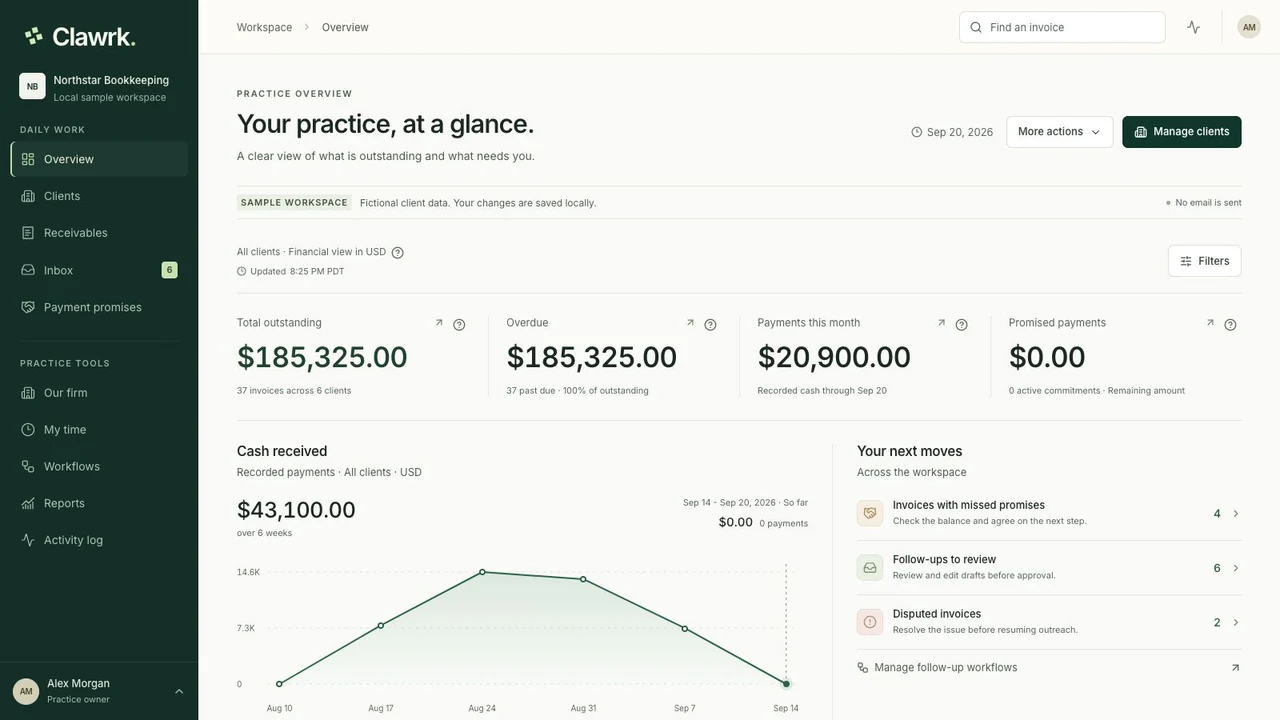
Clawrk / Your practice, at a glance

app.clawrk.com
Clawrk practice overview with outstanding balances, follow-up priorities, and payment promises in a fictional sample practice
A real workspace. Fictional sample data.One company or a client portfolio.
ONE PRODUCT. TWO WAYS TO WORK.

Your company, or your clients.
A workspace that fits.

Invoice follow-up and team time, organized around the work you do.

FOR BUSINESS OWNERS

Keep your own invoices moving.

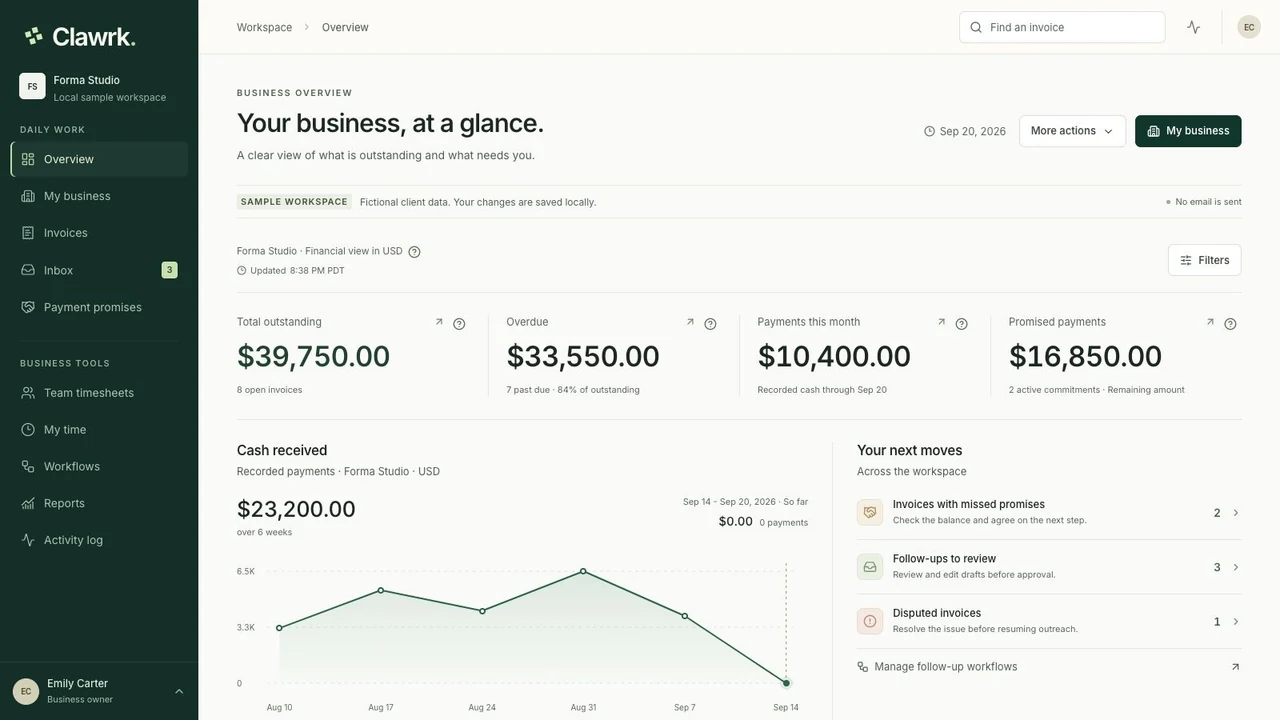
One company, its customers, and every unpaid invoice. Invite your colleagues or bookkeeper while keeping ownership of your workspace.

  • Your company is created during setup.
  • My business keeps customers and accounting together.
  • Track team hours, review weekly timesheets, and export approved time.

Explore the business setup Business pricing →
FOR BOOKKEEPING FIRMS

Follow through for every client.

A portfolio of client companies, each with its own invoices and accounting connection. Give your bookkeeping team a shared view of what needs attention.

  • Add the companies whose books you manage.
  • Review one client or the whole practice.
  • Record client work and turn approved billable hours into firm invoices.
Explore the practice setup Practice pricing →
THE WORK AFTER THE INVOICE

The books tell you what is owed.
Clawrk helps you follow through.

One customer needs a reminder. Another has promised to pay Friday. A third is waiting on a correction. Give your team a shared place to pick up the next step.

LESS CHASING. MORE CLARITY.

A complete story.
Behind every balance.

Explore the workspace

A clear view of what is owed

See your business invoices or review a practice portfolio. Keep every company and currency clear.

01

Follow-up with context

Review reminders before they go out. Keep replies and delivery status alongside the invoice.

02

Commitments you can follow

Track who promised what, and when. Pause disputed invoices while the details are resolved.

03
FROM OPEN INVOICE TO NEXT STEP

A routine your whole
team can work with.

Walk through the process
  1. 01

    Bring in the right records

    Set up your business, or add a practice client. Connect QuickBooks Online or import a CSV, and check the starting balances.

  2. 02

    Give each invoice a next step

    Review a reminder, record a promise, or pause follow-up while a question is being resolved.

  3. 03

    Keep the story up to date

    Track responses and recorded payments. Keep your team or bookkeeper working from the same context.

CONNECTED TO THE BOOKS

Let the ledger
lead the way.

QuickBooks stays the source of truth for connected invoices and payments. Clawrk adds the follow-up workflow, with a fresh balance check before an approved reminder is sent.

Meet the QuickBooks connection
STORIES & TESTIMONIALS

Less chasing.
More breathing room.

For your own business, or the clients you look after.

Bookkeeper testimonialMore time for client work

I used to piece together every reminder from a spreadsheet and my inbox. Now I can review what needs attention and get back to my clients. My Mondays feel much calmer.

AI-generated portrait for Elena Brooks
Elena BrooksNorthline BookkeepingOwner & bookkeeper
Read the full case study
Business owner · Example workflowMore room for creative work

Review project invoices, personalize the next reminder, and record a promised payment date before returning to the design brief. Explore a follow-up routine for an owner who does both the creative work and the admin.

AI-generated image of a design studio worktable with paper swatches and a sketchbook
Independent design studioDesign servicesOne owner. One business.
Read the full example
Bookkeeper testimonialLess admin overhead

Rewriting follow-up emails was eating into our fees. Having reminders ready to review saves admin time and leaves more room for billable work. We can offer a consistent service without complicating our day.

AI-generated portrait for Maya Patel
Maya PatelJuniper Books & AdvisoryPractice owner
Bookkeeper testimonialClearer client conversations

When a client asks where things stand, I have the last reply and promised payment date right there. There's less back-and-forth, and my team can pick up the next step without starting over.

AI-generated portrait for Daniel Reed
Daniel ReedCedar Bridge BookkeepingDirector & bookkeeper
Read the full case study
Business owner · Example workflowKeep the owner and office in sync

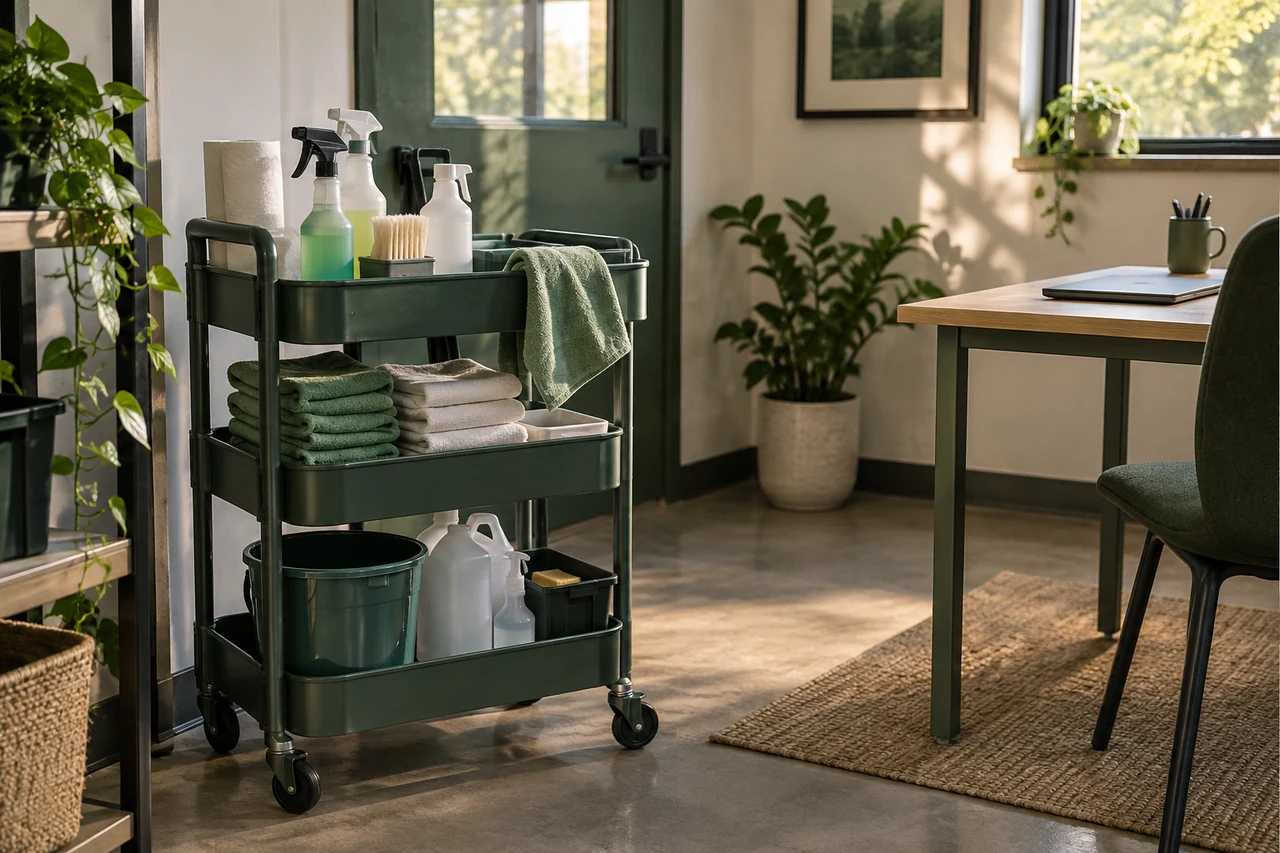
A customer raises a service question while the owner is on site. The office coordinator can record the context and pause follow-up, giving the owner a clear starting point. See how one company can share the work around its QuickBooks records.

AI-generated image of a cleaning business office with a supply cart beside a desk
Commercial cleaning businessCleaning servicesOne company. A shared routine.
Read the full example
Bookkeeper testimonialPersonal follow-up, less writing

I like that the reminders are ready for me to check, but I still decide what goes out. I can keep the wording personal without writing every email from scratch.

AI-generated portrait for Sofia Martinez
Sofia MartinezBalance Grove BookkeepingFounder & bookkeeper
Bookkeeper testimonialPayment promises kept in view

Now when someone says they'll pay Friday, I can record it against the invoice. I'm not digging through messages to remember what we agreed. That makes the next follow-up much easier.

AI-generated portrait for Grace Turner
Grace TurnerHarbor Lane BooksPractice owner
Bookkeeper testimonialA clearer place to start

With several clients to look after, it's easy to spend the morning deciding where to start. Seeing what needs attention across the practice helps me focus on the next useful conversation.

AI-generated portrait for Nathan Kim
Nathan KimClearbrook BookkeepingOwner & bookkeeper

Your judgment stays
in the workflow.

Approval before outreach. Roles for your team. A record of what changed. Because looking after business receivables calls for care.

Security & data controls
THE CLAWRK BLOG

A little more know-how.
A little less guesswork.

All articles
GOOD QUESTIONS

A clear place to start.

Talk to us
Can I use Clawrk for my own business?

Yes. Choose My business for your own company, or Bookkeeping practice for multiple client companies. Both include time tracking, weekly timesheet review, invoice follow-up, customer replies, payment promises, and reports. Invite teammates or your bookkeeper to share the work.

Can we turn tracked hours into invoices?

Bookkeeping practices can turn approved billable client work into invoice drafts in Our firm > Billing, finalize PDFs, and send them to clients. Firm invoices can sync to your firm QuickBooks books after customer and service mapping. Business workspaces include time tracking and review; firm invoicing is for practices.

Who is a client, and who is a customer?

Your business is the company using a Business workspace. Its customers owe it money. In a practice, a client company is a business whose books you manage, and each client has its own customers. Customer counts are separate from company capacity; all plans include unlimited teammates.

Does Clawrk collect or hold customer payments?

Clawrk organizes invoice follow-up. Customers pay through the payment arrangements or existing payment links used by the business. Clawrk does not hold those customer payments, and a recorded payment promise is not proof of payment.

How do we stay in control of outreach?

Your team reviews and approves outgoing reminders. Replies, disputed invoices, and payment promises provide context for the next action. Email delivery status stays separate from approval so you can see whether a message reached the receiving mail server.

CLAWRK FOR BUSINESSES AND BOOKKEEPERS

Give your next invoice a clear next step.

Bring your invoices, your team, and every follow-up into Clawrk.

Start free trial14 days. No credit card required.